Comic 014 – It's Just a Login… Right?
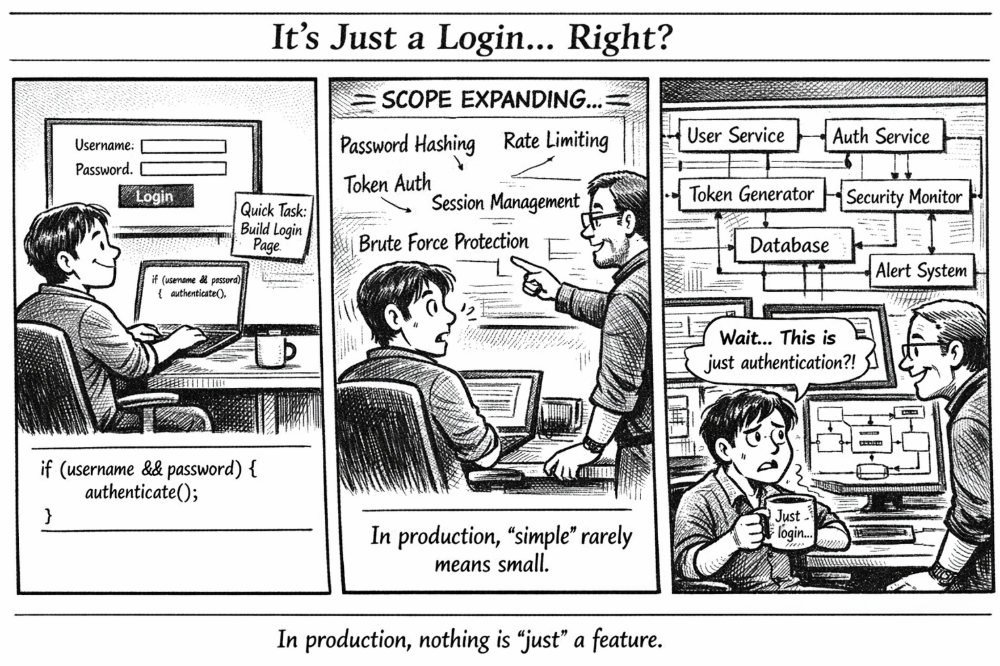 When a “quick login page” turns into a full security architecture 🔐
🧩 Problem
A login page looks deceptively simple.
All you need is a username, a password, and a button… right?
At first glance, many beginners implement authentication like this:
if (username && password) {
    authenticate();
}
If both fields exist, call a function to check them.
Simple. Clean. Done.
But in the real world, authentication is one of the most complex and security-critical parts of a system.
Because a login page isn’t just a form — it’s the front door to your entire platform.
💻 Code Example (C++)
Below is a simplified conceptual authentication flow. Real systems use frameworks and secure libraries, but the idea is similar.
#include <iostream>
#include <string>
using namespace std;

string hashPassword(const string& password) {
    // Placeholder for a secure hashing algorithm (e.g., bcrypt)
    return "hashed_" + password;
}

bool verifyPassword(const string& input, const string& storedHash) {
    return hashPassword(input) == storedHash;
}

class AuthService {
public:
    bool login(string username, string password) {
        // Simulated database record
        string storedUser = "admin";
        string storedHash = hashPassword("secure123");

        if (username != storedUser) {
            return false;
        }

        if (!verifyPassword(password, storedHash)) {
            return false;
        }

        // In real systems this would generate a session or token
        cout << "Login successful. Session created." << endl;
        return true;
    }
};

int main() {
    AuthService auth;

    auth.login("admin", "secure123");
    auth.login("admin", "wrongpass");

    return 0;
}
Even this simplified version hides many critical layers that production systems must handle.
🌍 Real-World Connection
Major platforms like:
- GitHub
- Amazon
- Banking apps
treat authentication as a full security system, not just a form submission.
When you click Login, dozens of things may happen behind the scenes:
- Password hashing verification
- Rate limiting checks
- Session or token creation
- Device fingerprinting
- Suspicious login detection
- Logging and monitoring
All of this happens in milliseconds so the user experience still feels instant.
🛠 What Real Systems Actually Include
A production login system usually requires several components.
Password Hashing
Passwords should never be stored in plain text.
Instead they are hashed using algorithms such as:
- bcrypt
- Argon2
- PBKDF2
This ensures even if the database leaks, attackers cannot easily recover passwords.
Rate Limiting
Without limits, attackers can attempt millions of password guesses.
Systems prevent this by:
- Limiting login attempts per minute
- Temporarily locking accounts
- Blocking suspicious IP addresses
Session / Token Management
After login succeeds, the system generates:
- Session IDs (traditional web apps)
- JWT tokens (modern APIs)
These tokens allow the user to stay logged in without resending credentials every request.
Monitoring & Alerts
Security teams track login behavior such as:
- Too many failed attempts
- Logins from unusual locations
- Rapid credential changes
These events can trigger alerts or automated security actions.
⚡ Takeaway
This comic highlights a common lesson in software engineering:
👉 The simplest features often hide the deepest complexity.
A login box may look like:
Username
Password
Login
But behind it sits an entire security infrastructure designed to protect users and data.
So the next time someone says:
“It’s just a login page.”
Engineers know the truth.
🔥 Nothing in production is ever “just” a feature.
📅 Published: March 2026 ✍️ Author: Aisha Karigar